
Key takeaways
- Each client store is a separate Shopify admin with its own users, so cross-client visibility has to come from your own process or tooling.
- A change log per client, with the field, the old value, the new value, the author and the approver, answers most client questions before they are asked.
- Priorities belong to the client, not to the team's queue: rank each store's work by what it is worth to that store.
- A fixed weekly routine with written decisions is what keeps ten stores from turning into ten sources of surprises.
Ten stores means ten separate admins
Every client store is its own Shopify admin, with its own products, its own staff and its own apps. To work in it, an agency normally uses a collaborator account: you request access from your Shopify Partner account, the client gives you the store’s 4-digit collaborator request code, and the store owner or an administrator accepts the request on the Users page and picks the permissions you get. If a collaborator doesn’t log in to a store for 90 days, their access expires automatically, which is worth knowing for the client you only touch once a quarter.
Shopify also has organization settings, which let a business view and manage several stores in one place. They are built for one company that owns several stores (and are available by default on Shopify Plus), not for an agency whose clients each own their own store. In practice, you work one store at a time: open the client’s admin, find the product, edit, save, move on to the next client.
That is fine for the edit itself. What gets lost is everything around it:
- which products you changed last week in store 4, and which are still pending
- whether the meta description you rewrote in store 7 was edited again by the client’s team afterwards
- who on your side approved the new collection copy for store 2
- what is waiting for the client’s sign-off, across all ten stores
None of that lives in one place unless you put it there.
Track what changed, where, and by whom
The single most useful habit is a change log per client, at field level. “Updated SEO on 40 products” tells the client nothing. A useful entry looks like this:
| Field | Before | After | Who |
|---|---|---|---|
| Meta description, “Merino crew sweater” | “Shop our merino sweater.” | “Midweight merino crew, knitted in Portugal, machine washable at 30 °C.” | Written by Sam, approved by Léa |
Four things make a log trustworthy: the exact field, the old value, the new value, and two names (who wrote it, who approved it). Add the date and, when it is not obvious, one line on why.
The trap is changes made outside your process. The client’s team edits a product title directly in the admin, a translation app overwrites a field, an intern fixes a typo. If your log only records what your team did, it drifts away from what is live. Before each working session on a store, check whether the fields you manage were changed since your last pass, and log those changes too, attributed to whoever made them.
If the client asks “who changed this and when?”, you should be able to answer in under a minute, for any of the ten stores.
Set priorities per client, not per queue
When all the work sits in one team queue, the loudest client wins. A better rule is to rank work inside each store first, by what it is worth to that store, and only then decide how to split the team’s week.
For each client, keep a short, ordered list:
- the pages that bring revenue or traffic today (bestsellers, top collections)
- pages with a known problem (duplicate titles, missing meta descriptions, thin descriptions)
- seasonal work with a real deadline (a collection that has to be ready before a sale)
- everything else, batched
Review that list with the client once a month. It turns “can you look at the SEO?” into an agreed order of work, and it gives you something to point to when a request arrives that would push other work back.
A weekly routine that holds at ten stores
A routine matters more than a tool. Here is one that works for a small team handling around ten stores. Adjust the day, keep the order.
- Monday: check each store for edits made outside your process
- Log those edits in the client’s change log, with author
- Pick this week’s items from each client’s priority list
- Draft or import the new content as proposals, not live edits
- Internal review: a second person checks every proposal
- Send the approved batch to each client for sign-off
- Publish only what the client approved
- Friday: send each client a short summary of the week
Step 4 is the one teams skip under pressure. Editing live in the client’s admin is faster, but it removes the review step and leaves no clean before/after record. If your content comes from an AI model or a spreadsheet, this is where it matters most: a batch of generated meta descriptions should be read before it reaches the storefront, not after.
Document decisions for the client
Clients rarely read change logs. They do read short explanations. For each non-trivial decision, write two or three sentences the client can understand without SEO vocabulary: what you changed, why, and what you chose not to do.
Say a client sells merino sweaters and asks why the product titles no longer start with the brand name. The note might read: “We moved the brand to the end of product titles so the product type appears first in search results. Your homepage and collection titles still lead with the brand.” That note, stored with the change, saves a meeting six months later when a new marketing manager asks the same question.
Keep these notes next to the change, not in a separate email thread. When a client leaves or a new account manager takes over, the reasoning is still attached to the content it explains.
One workspace for every client store
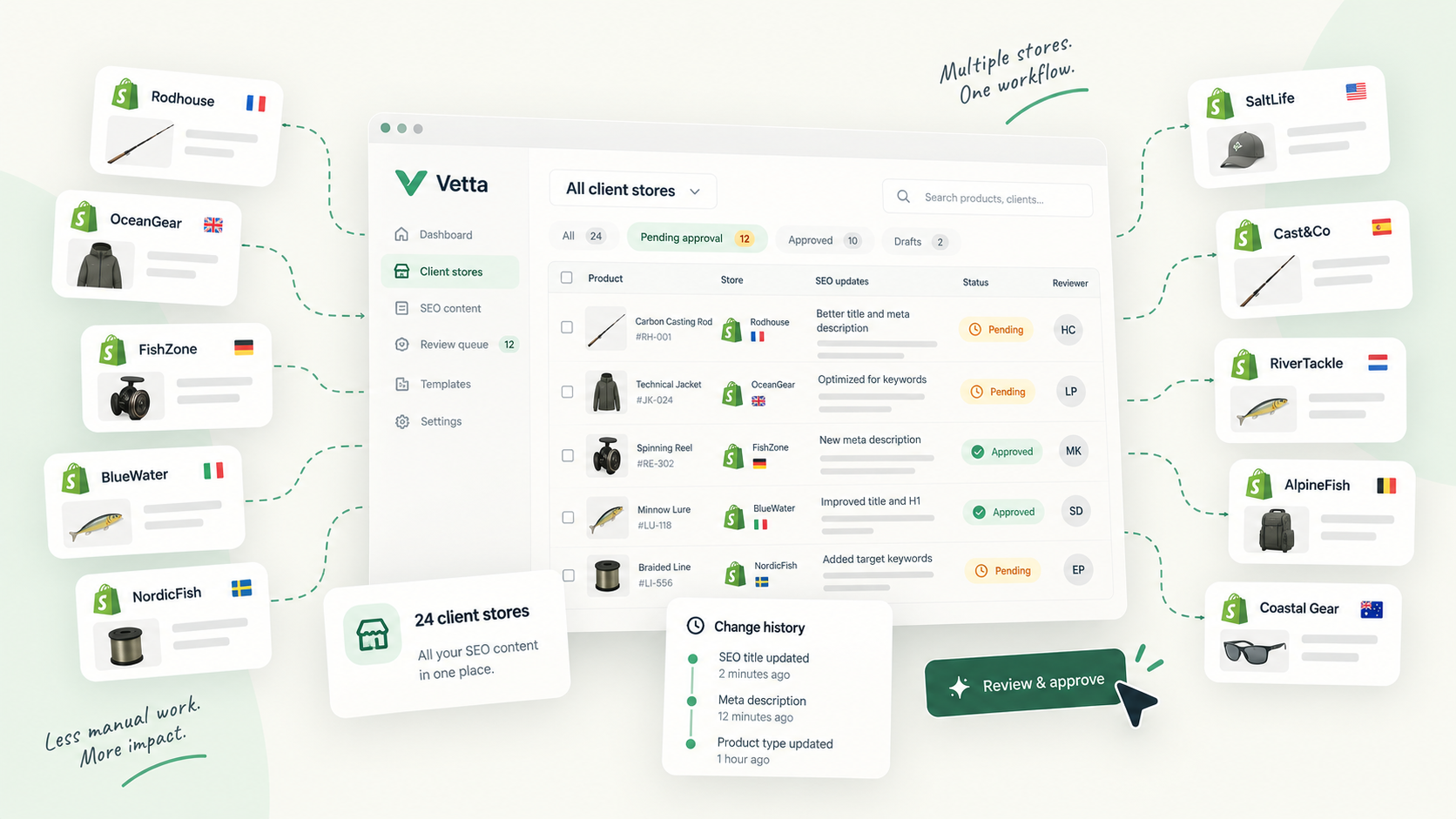
This is the problem Vetta’s agency workspace is built for. You sign in once and see every client store you manage. Proposed versions of products, collections, pages and articles from all stores land in one review queue that you can filter by client, and each proposal shows a field-level diff of what is live against what is proposed: title, handle, descriptions, SEO title and meta description, tags and metafields.
Clients can be invited as reviewers. They approve, request changes or reject with a note, and they do it without a Shopify admin or staff account: they sign in with a one-time code by email or with Google. Nothing reaches their storefront until someone with the reviewer role approves it.
Edits made directly in a client’s Shopify admin are picked up and recorded as versions, dated and attributed, so the change log includes what happened outside your process. Every version is kept, and restoring an older one adds a new version on top rather than overwriting history. Each store has its own plan and credits, so one client’s volume of work doesn’t draw on another’s.
Whether you use Vetta or a spreadsheet and a strict routine, the goal is the same: at any moment, for any of your ten stores, you can say what changed, who wrote it, who approved it and why.
Sources and references
- Collaborator accountsShopify Help Center · documentation
- Organization settingsShopify Help Center · documentation

Hugo built his first Shopify stores around 2015, while studying management and accounting, after teaching himself to code as a teenager. He then specialised in digital marketing at ESCEN in Bordeaux and has worked with clients since 2018, first in web communication, then as a webmaster. Since 2020 he has led IT projects at Rodhouse, including its full migration to Shopify in 2023, and is now its Tech Lead. Vetta grew out of a problem he kept meeting with clients: content changed by people nobody had checked, with no way back. Away from the screen, he travels, keeps a close eye on investing and new technology, and spends as much time as he can on the water.
Frequently asked questions
How do agencies get access to a client's Shopify store?
Usually through a collaborator account. The partner requests access from their Shopify Partner account, entering the store's 4-digit collaborator request code, and the store owner or an administrator accepts the request and chooses the permissions from the Users page of the Shopify admin.
Can I manage several client stores from one Shopify admin?
Not really. Shopify's organization settings let one business view and manage several of its own stores, and they are available by default on the Shopify Plus plan. Client stores belong to different owners, so an agency typically works in each client's admin separately.
How should an agency document SEO changes for a client?
Record every change at field level (title, meta description, handle, description), with the date, the author, the reviewer and the reason. Share a short weekly summary and keep the full log available on request.