
Key takeaways
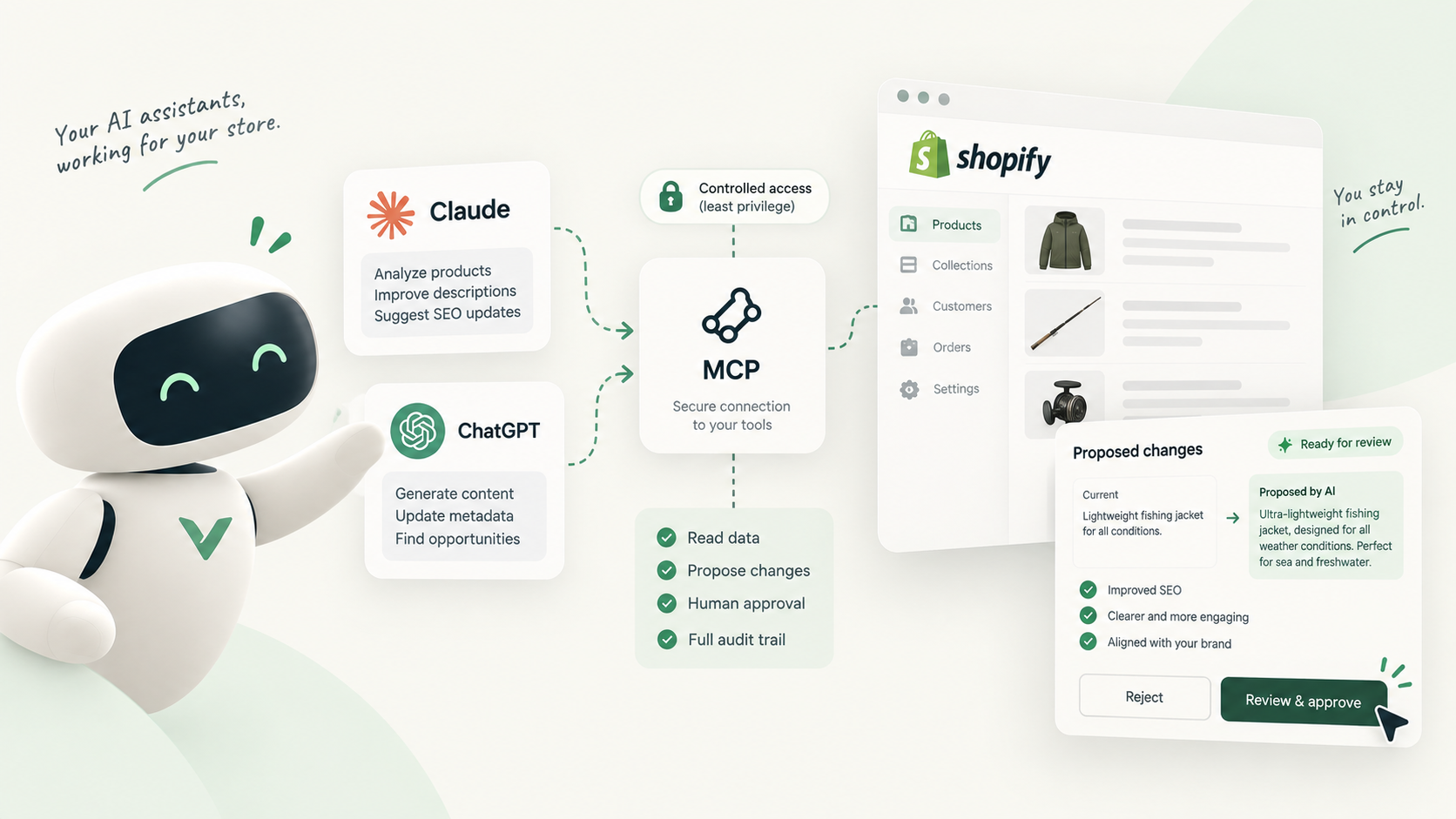
- MCP is a standard way for an AI assistant to call tools on another system; what the agent can do depends entirely on the tools the server exposes.
- Shopify's MCP offerings serve different jobs: developer help, shopper-facing storefronts and store management from a chat.
- The main catalogue risks are bulk rewrites, invented specifications and changes nobody can trace or undo.
- Give agents the smallest access that works, let them propose rather than publish, and record which version came from an agent.
What MCP is, without the jargon
The Model Context Protocol (MCP) is an open-source standard for connecting AI applications to external systems. The official site compares it to a USB-C port: one agreed shape of plug, so that an assistant such as Claude or ChatGPT can talk to a calendar, a database or a store without a custom integration for each pair.
In practice there are two sides. The assistant you chat with is the client. The system it connects to runs an MCP server, which publishes a list of tools: “search products”, “get order”, “update product” and so on. The model reads that list, decides which tool to call, and the server executes it.
That last point is the one that matters for a merchant. An agent can only do what the server’s tools allow. A server with read tools lets it look. A server with an update tool lets it change your live store. Choosing a connection is really choosing a list of tools.
The Shopify MCP servers you will come across
Several things are called “Shopify MCP” and they do very different jobs. Here is what Shopify documents today.
| Option | Who it is for | Touches your store data? |
|---|---|---|
| Dev MCP server (part of the Shopify AI Toolkit) | Developers building apps and themes | No: it runs locally and serves docs and schemas |
| Storefront MCP | Shopper-facing chat on your storefront | Reads catalogue and policies, manages shopper carts |
| Shopify connector for Claude, Shopify plugin for ChatGPT | Merchants managing a store from a chat | Yes: reads and writes admin data |
| Third-party MCP apps | Varies by app | Depends on the tools each app exposes |
The Dev MCP server gives a coding assistant access to Shopify’s developer documentation and API schemas. Shopify notes that it runs locally and doesn’t require authentication, so it has no access to your products. The wider AI Toolkit can also prepare store-management tasks through Shopify CLI, with you choosing when to run them.
Storefront MCP is aimed at customers, not staff. It lets a shopping assistant search the catalogue, manage a cart and answer questions about policies, shipping and returns.
The connectors for Claude and ChatGPT are the ones to think hard about. Shopify’s help page for the Claude connector lists actions such as creating products and updating a product’s title, description, status, images, variant prices or SKUs, and setting products to active, draft or archived in batches of up to 50. What it can change depends on the access you approve and on the permissions of the staff account it acts through.
What an agent with write access can do to a catalogue
Picture a hypothetical store selling merino base layers. You ask the assistant to “make the product descriptions more persuasive and add SEO keywords”. With write tools, a helpful agent will do exactly that, product after product, directly on the live pages:
- rewrite the body description of every product it can find
- change titles, which also changes what shoppers and search engines see
- add fibre weights, temperature ratings or certifications it inferred from similar products
- switch product status while “tidying” the catalogue
None of this needs a bug. It is the tool working as designed, driven by a prompt that was a little too broad.
The three risks that matter
Bulk rewrites
A person editing products is slowed down by the admin. An agent isn’t. One instruction can touch dozens of products before you read the first result, and every change is live the moment it is saved.
Hallucinated specifications
Models fill gaps with plausible detail. On a blog post that is embarrassing; on a product page it is a claim you make to a buyer: “OEKO-TEX certified”, “machine washable at 40 °C”, “suitable for sensitive skin”. If the fact is wrong, returns and complaints follow, and some claims carry legal weight.
No history to go back to
Shopify’s admin is built around the current state of each product. Once a description is overwritten, getting the previous text back usually means finding a copy somewhere else: an old export, a backup app, a tab you forgot to close. And even when you notice a problem, the product page doesn’t make it obvious whether a person or an agent wrote the current text. We compare what Shopify keeps natively on this page.
The question is never whether the agent writes well. It is what happens on the day it writes something wrong.
A safe setup in five steps
- Start with read-only tasks and audits
- Connect through a staff account with minimal permissions
- Keep agents on propose-only tools
- Require a human approval before publishing
- Label every version with its author, human or agent
Least privilege. Authorize the connection from a staff account that has only the permissions the task needs, rather than from the store owner’s account. Shopify states that a connected tool’s access depends on the permissions of the account it acts through, so this is your first real control. An agent that should only rewrite descriptions has no business near orders, customers or discounts.
Propose-only. Prefer connections where the agent’s output is a draft or a proposal, not a saved change on the live product. If the only tool available is “update product”, the review happens after publication, which means your customers review it first.
Human approval. Someone who knows the products reads each proposal, compares it with what is live and approves, sends it back with a note, or rejects it. This is where invented specs get caught.
Attribution. Every version should say who produced it. When a claim turns out to be wrong six months later, you want to know whether it came from an agent, a CSV import or a colleague, and who approved it.
Propose-only with Vetta’s MCP server
Vetta is one way to put this into practice. Its MCP server lets Claude or ChatGPT read your products, collections, pages and articles and propose new versions of them. There is no publish tool for the agent to call: a proposal lands in the same review queue as work from your team or a CSV import.
A reviewer then sees a word-by-word diff of each field (title, handle, descriptions, SEO title and meta description, tags, metafields) against the live content, including each published translation, and approves, requests changes or rejects with a note. Agents are authors only. Every version, including edits made directly in the Shopify admin, is kept and attributed, and restoring an old one adds a new version on top.
Where to start
Begin with a task you can check easily, such as asking the agent to propose meta descriptions for ten products, and read every result. Widen the scope once you trust the output and your review routine. The protocol will keep improving; the principle stays the same: let the agent draft as much as it likes, and keep the decision to publish with a person.
Sources and references
- What is the Model Context Protocol (MCP)?modelcontextprotocol.io · documentation
- Shopify AI ToolkitShopify · developer documentation
- About Storefront MCPShopify · developer documentation
- Shopify connector for ClaudeShopify Help Center

Hugo built his first Shopify stores around 2015, while studying management and accounting, after teaching himself to code as a teenager. He then specialised in digital marketing at ESCEN in Bordeaux and has worked with clients since 2018, first in web communication, then as a webmaster. Since 2020 he has led IT projects at Rodhouse, including its full migration to Shopify in 2023, and is now its Tech Lead. Vetta grew out of a problem he kept meeting with clients: content changed by people nobody had checked, with no way back. Away from the screen, he travels, keeps a close eye on investing and new technology, and spends as much time as he can on the water.
Frequently asked questions
Can Claude or ChatGPT edit my Shopify products?
Yes, if you connect them with a tool that allows it. Shopify's own connector for Claude can update a product's title, description, status, images, variant prices or SKUs, within the access you approve and the permissions of the account it acts through.
Is the Shopify Dev MCP server connected to my store?
No. Shopify describes it as a local server that gives AI tools access to its developer documentation and schemas, and it doesn't require authentication. It helps developers build; it doesn't manage your products.
What does propose-only mean for an AI agent?
The agent can read content and submit a new version, but it has no tool that writes to the live store. A person reviews the proposal and decides whether it is published.